
Whtmatters
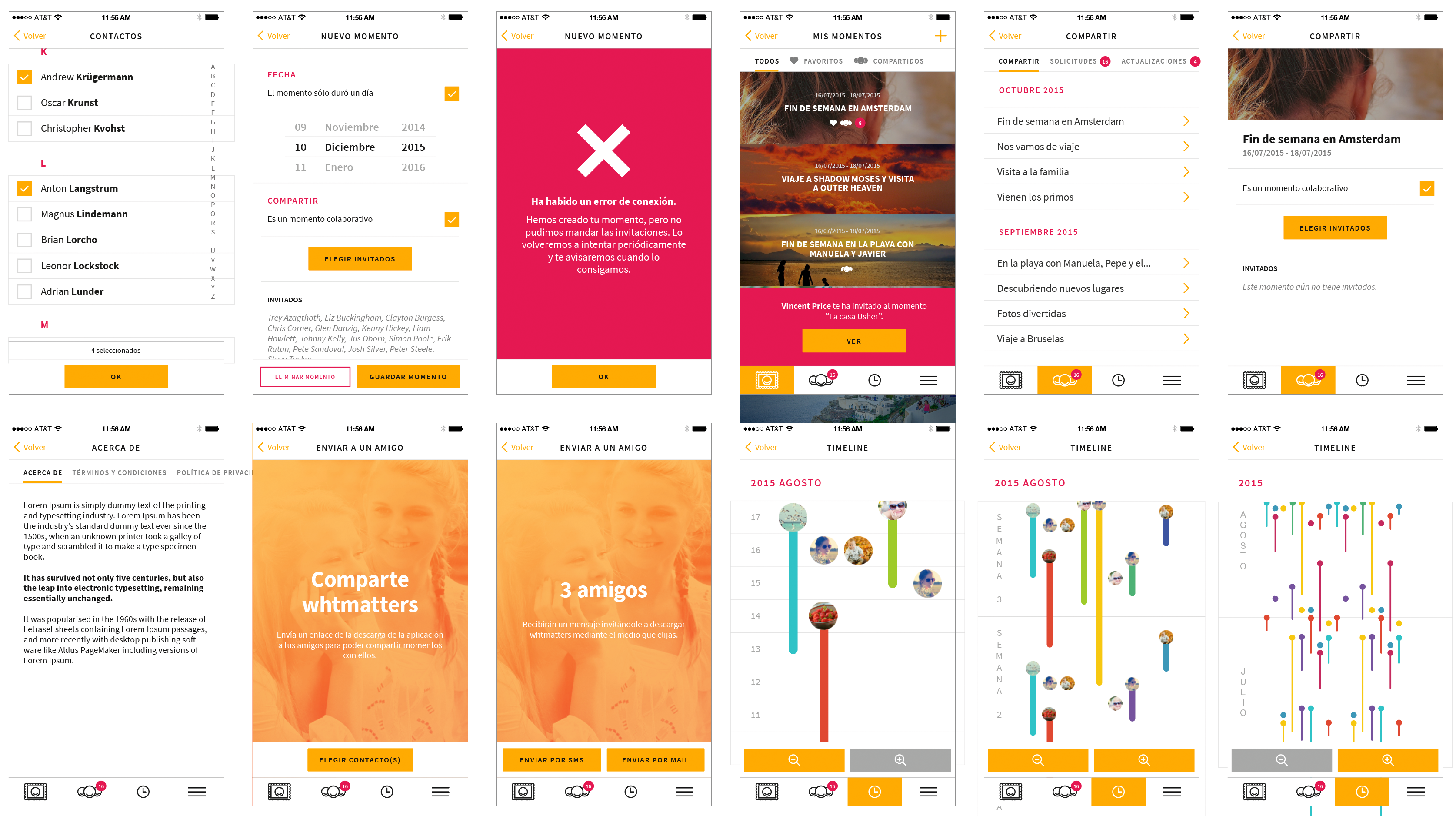
As a freelancer, I was the Lead UI/UX designer for iOS/android app Whtmatters. It was a photo organization app with social elements targeted at families.
Key responsibilities
- Art Direction: Established and led the art direction from the ground up, ensuring a cohesive visual identity for the project.
- Comprehensive UI/UX Design Process: I managed the complete UI/UX lifecycle, beginning with the development of early user flows to map out user journeys and identify pain points.
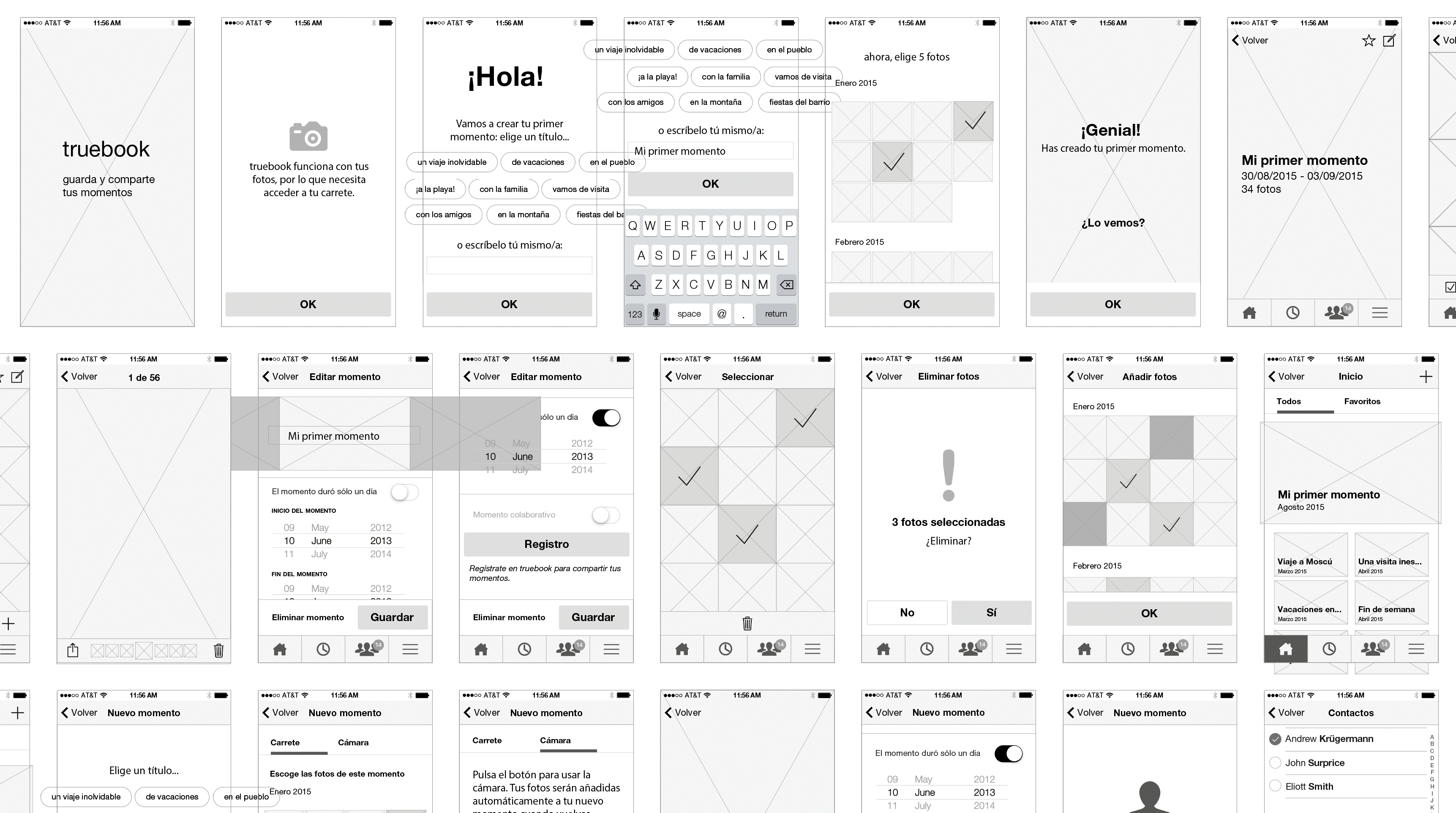
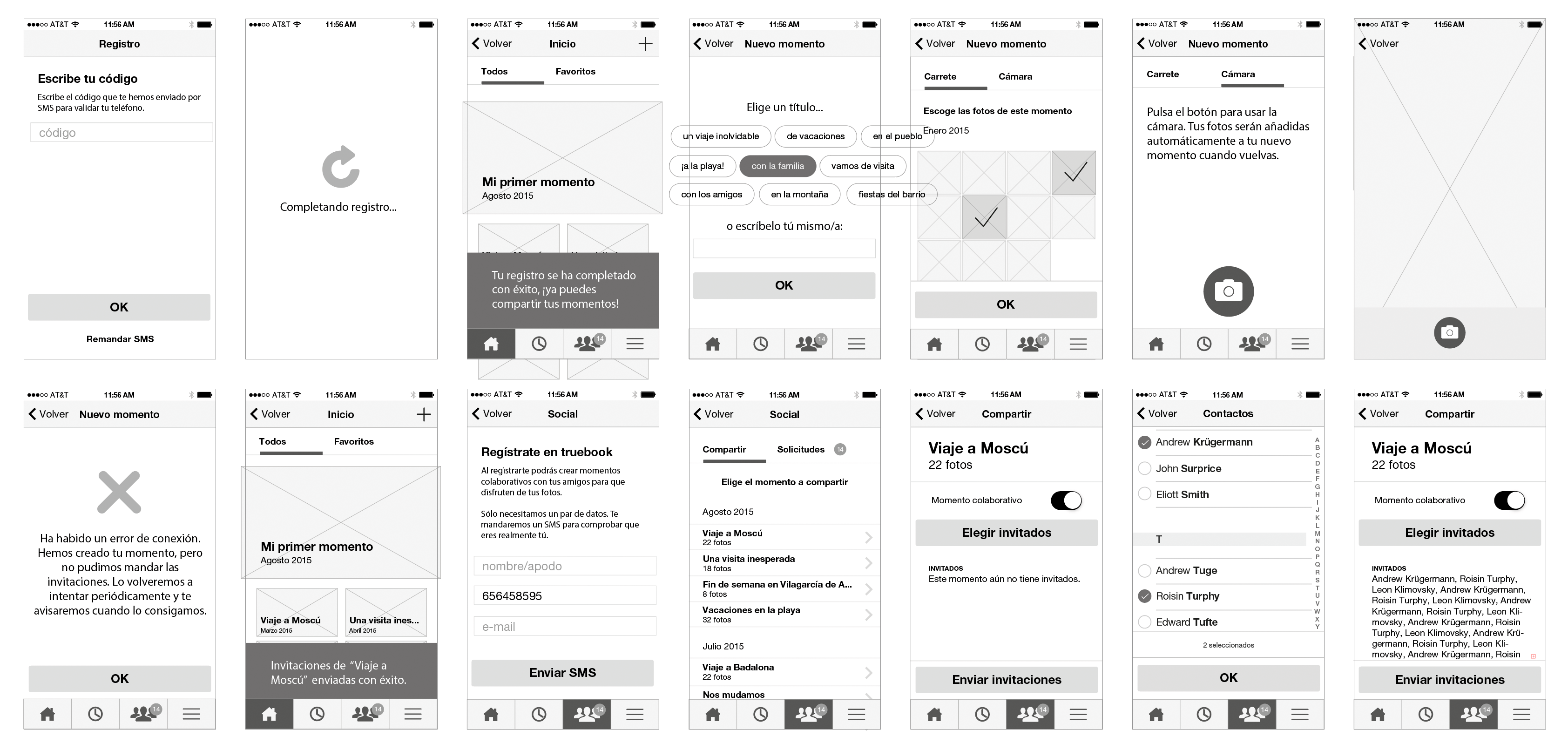
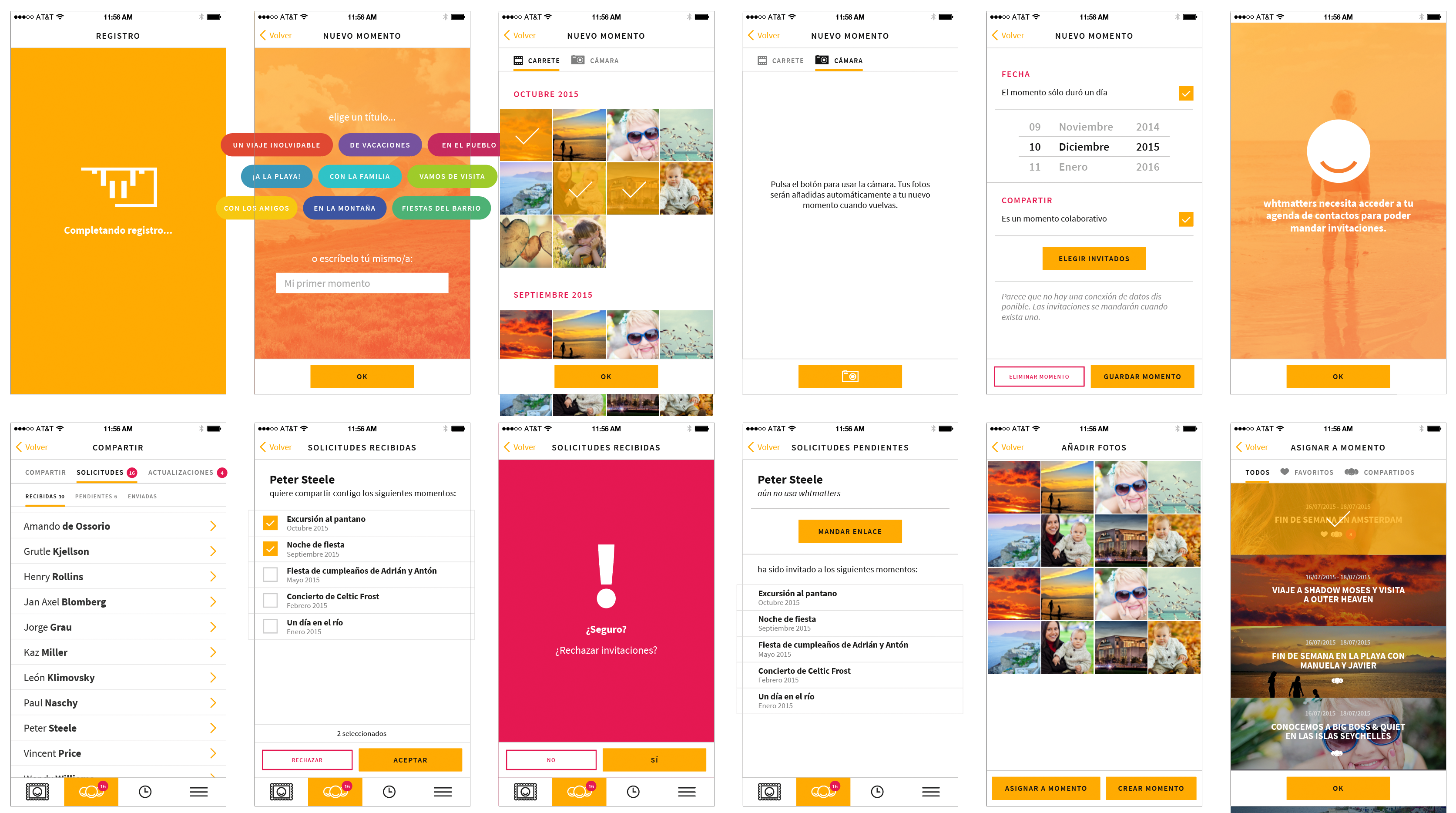
- Wireframing to High-Fidelity Mockups: I created wireframes that served as visual blueprints, allowing for iterative feedback with the stakeholders. This progressed to high-fidelity mockups that accurately represented the final product’s look and feel.
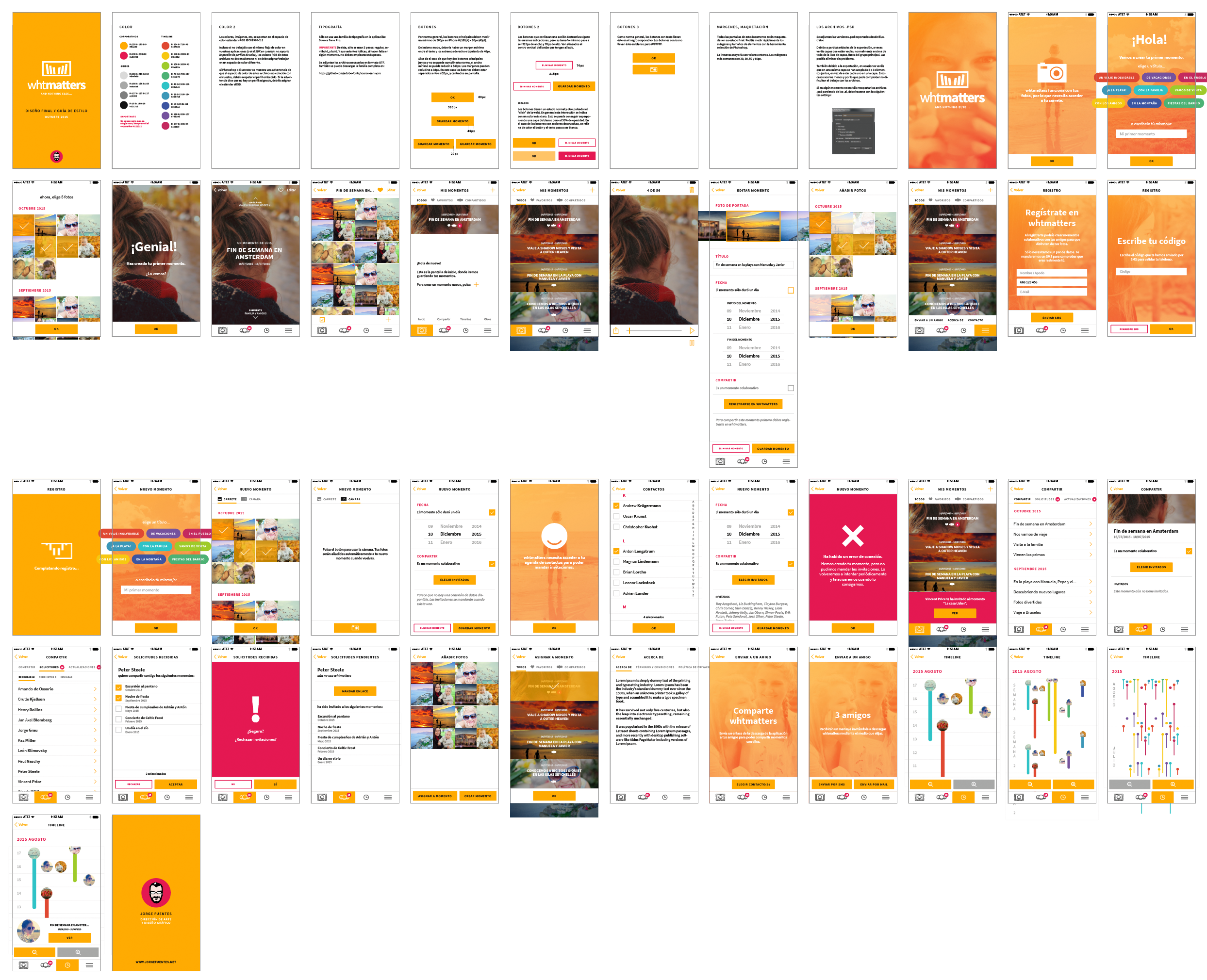
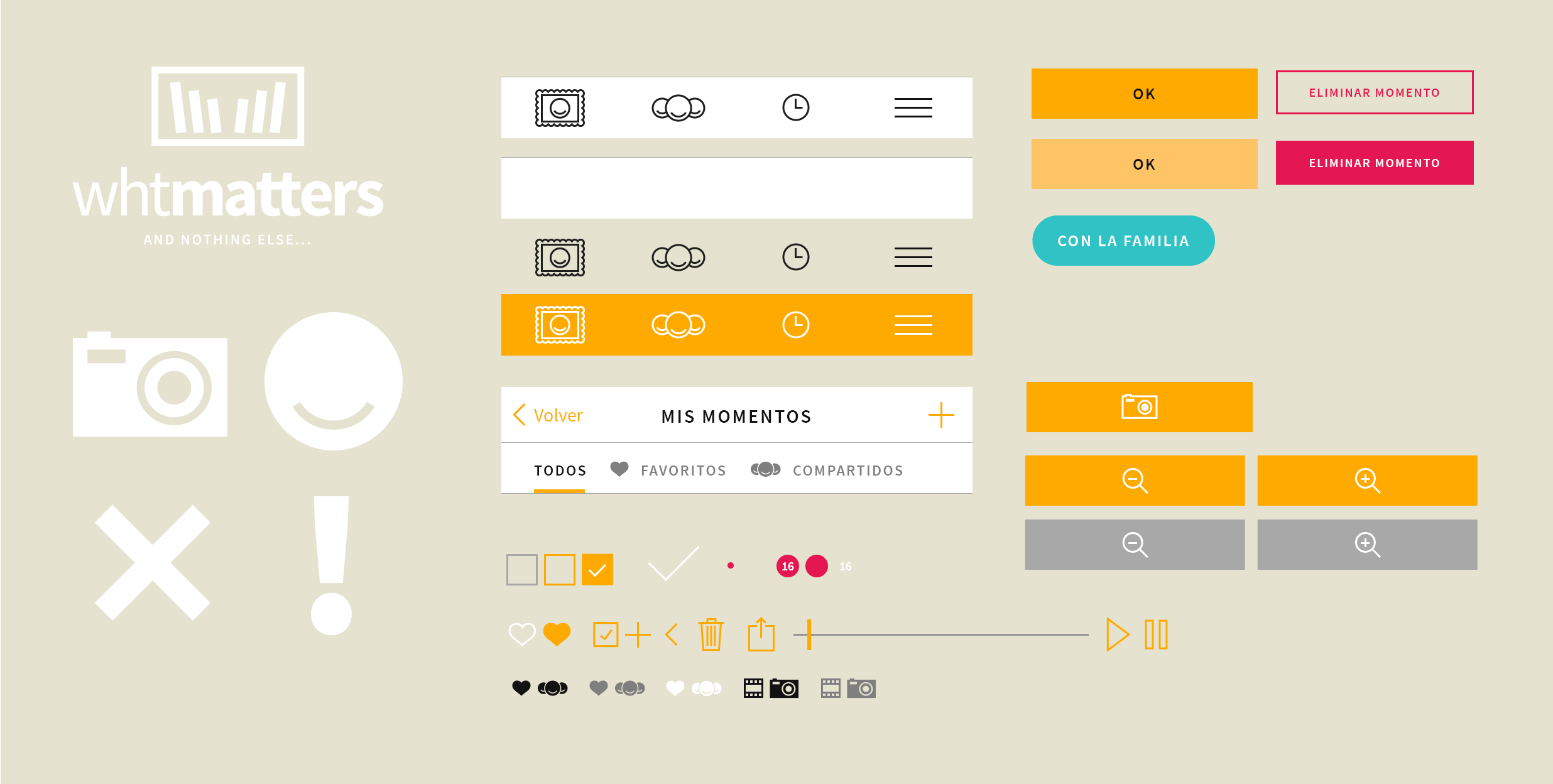
- Asset Development and handoff: I provided engineers with ready-to-use assets and a cohesive design system to ensure consistent implementation, along with a comprehensive PDF style and implementation guide.
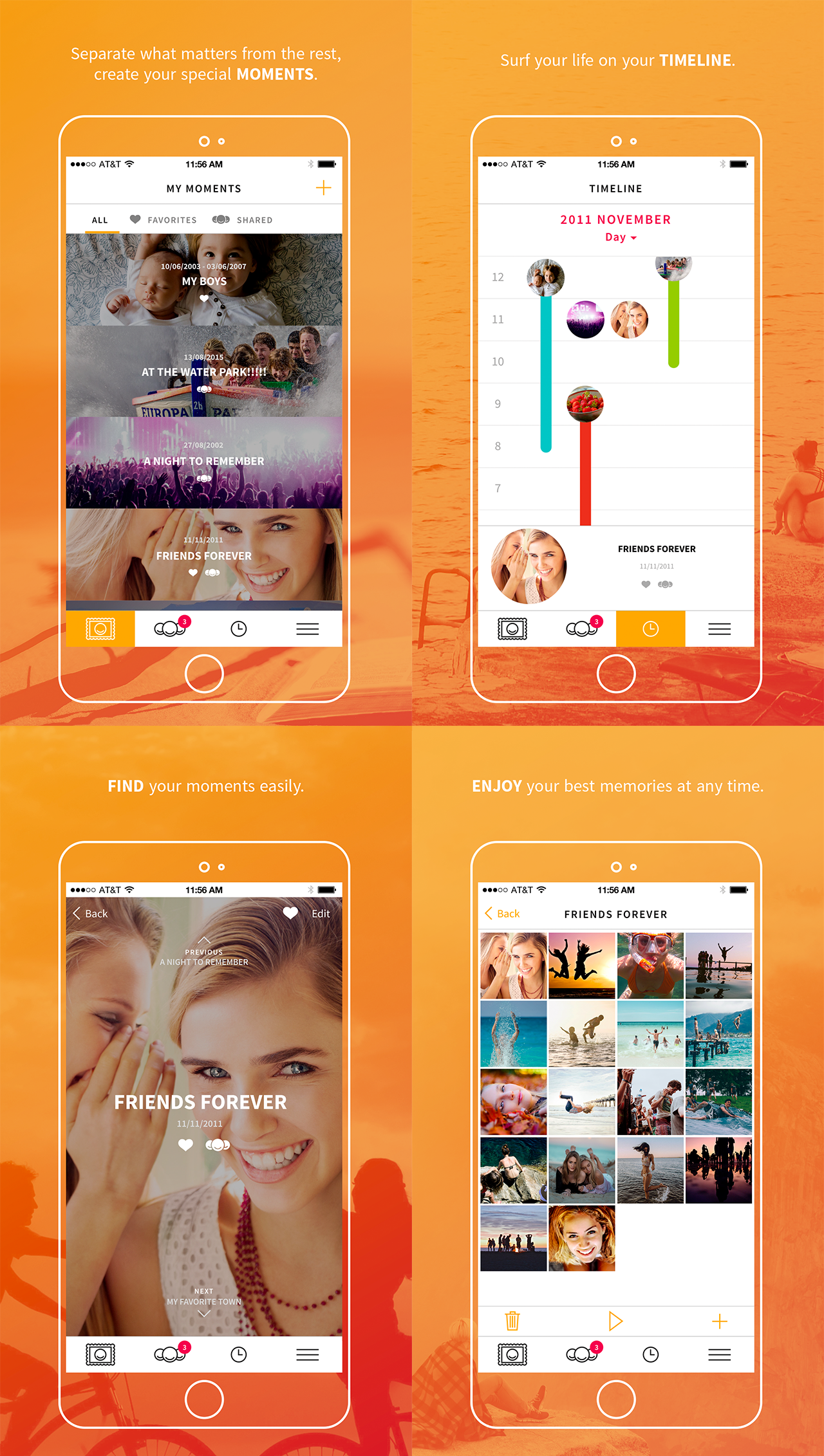
- Branding and Marketing Materials: Leveraging my background in visual design, I crafted the app's logo, explored the brand’s tone and mood through a short motion piece, and developed a landing website along with other marketing materials.
Process examples
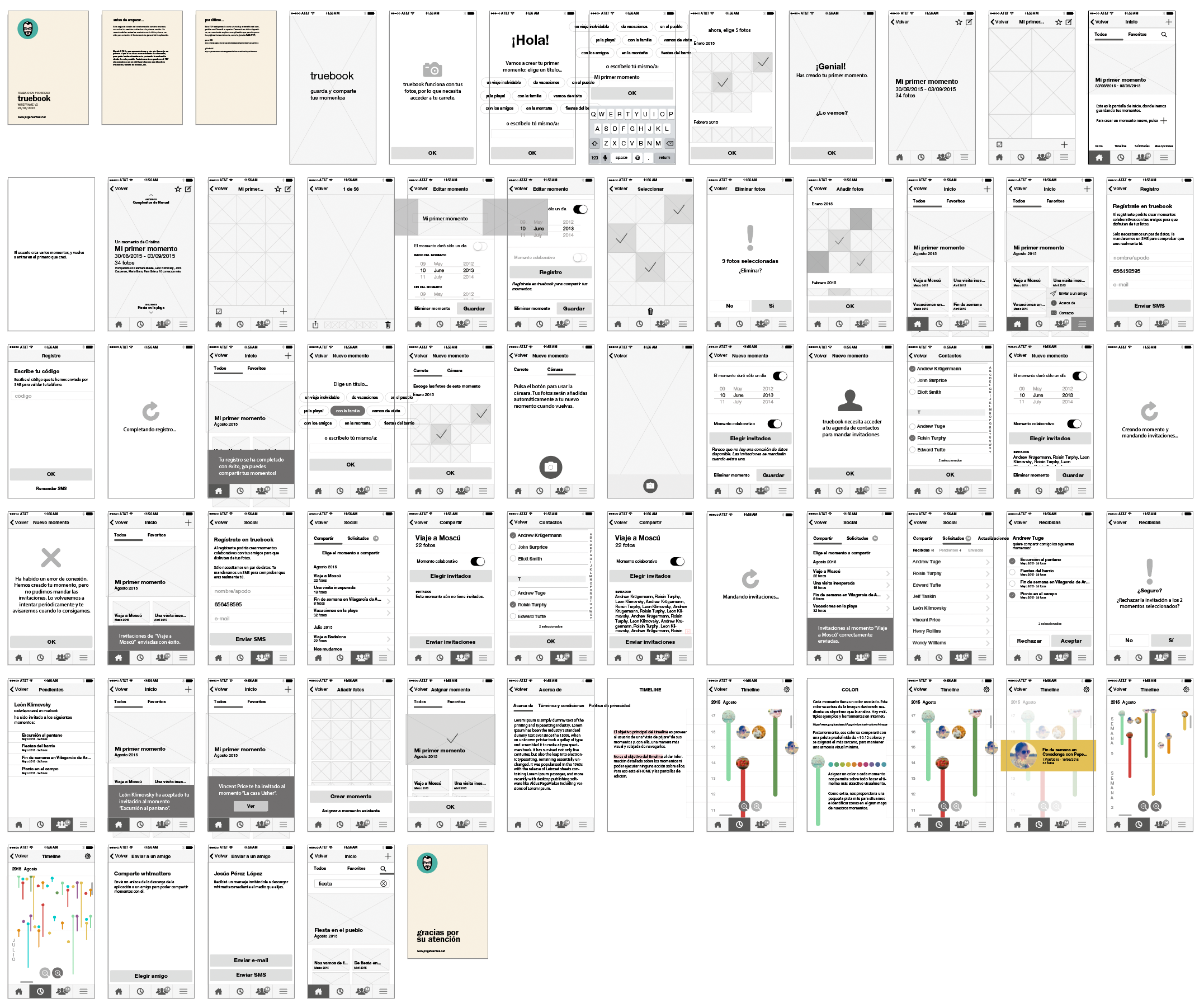
The work process for Whtmatters was pretty straightforward. After the features of the app were discussed with the client, a set of wireframes for every screen was created in Adobe Illustrator (this was before Figma existed). UX improvements were suggested at this point as well, and annotated PDFs with user flows were sent to the engineering team to assess implementation feasability. When the wireframes and flows were greenlit, I created the final, high fidelity mockups along with a style guide, deliverable assets and later some marketing materials.
Here are some process examples.